Add a metrics store
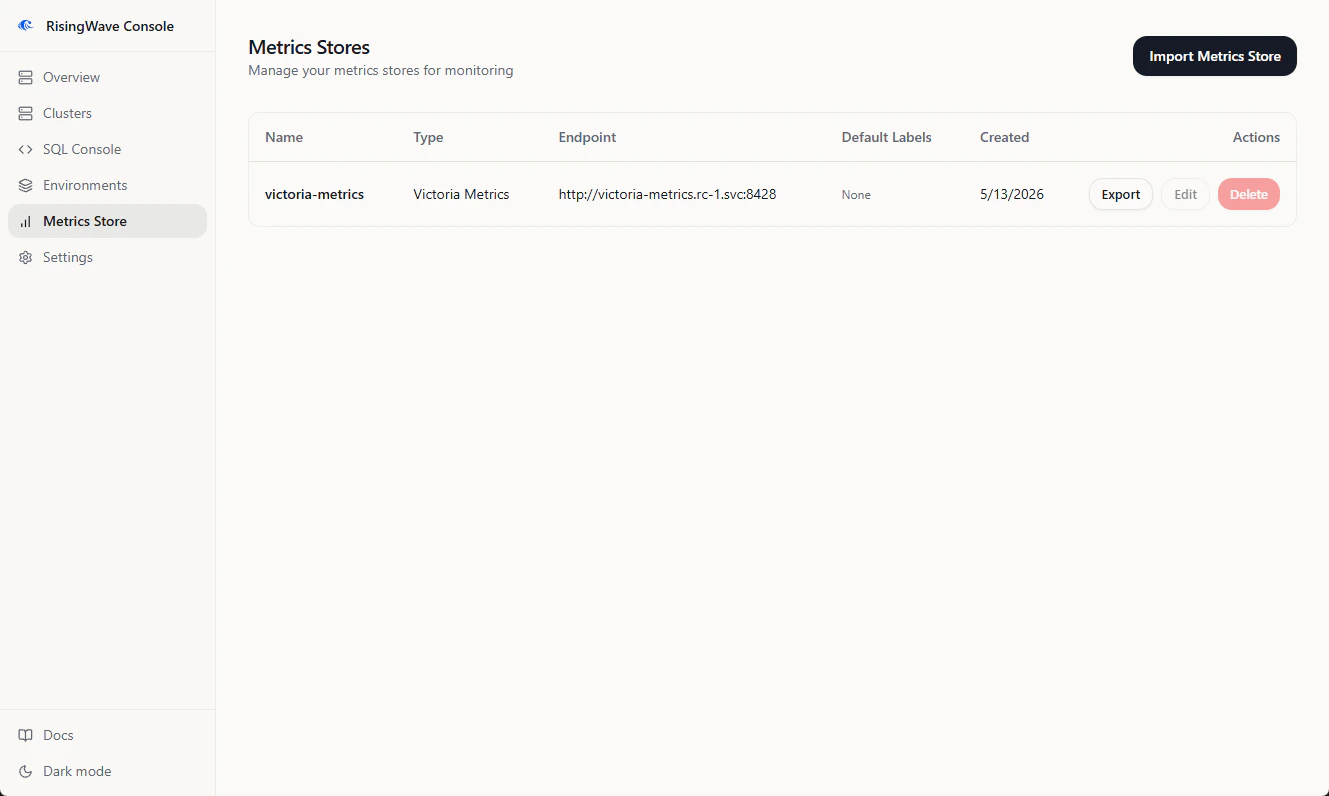
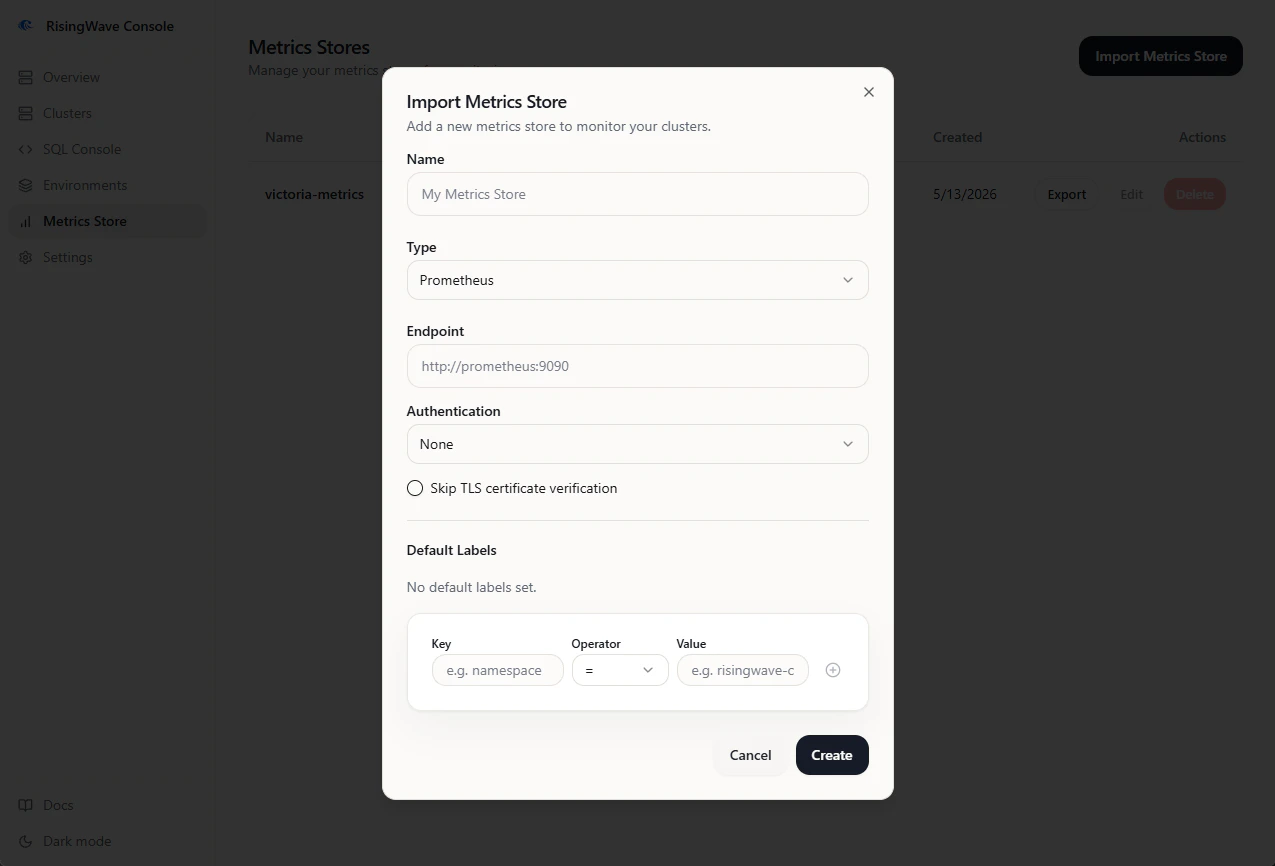
- Open Metrics Store from the sidebar.
- Click Add.
- Enter a name.
- Select the metrics store type.
- Enter the endpoint URL.
- Add any default labels needed to scope queries, such as a Kubernetes namespace label.
- Save the store.
Managed metrics stores
When an environment installs VictoriaMetrics, Console treats that metrics store as managed. Managed metrics stores are owned by the environment lifecycle and may not allow the same edit or delete actions as imported metrics stores.Export metrics
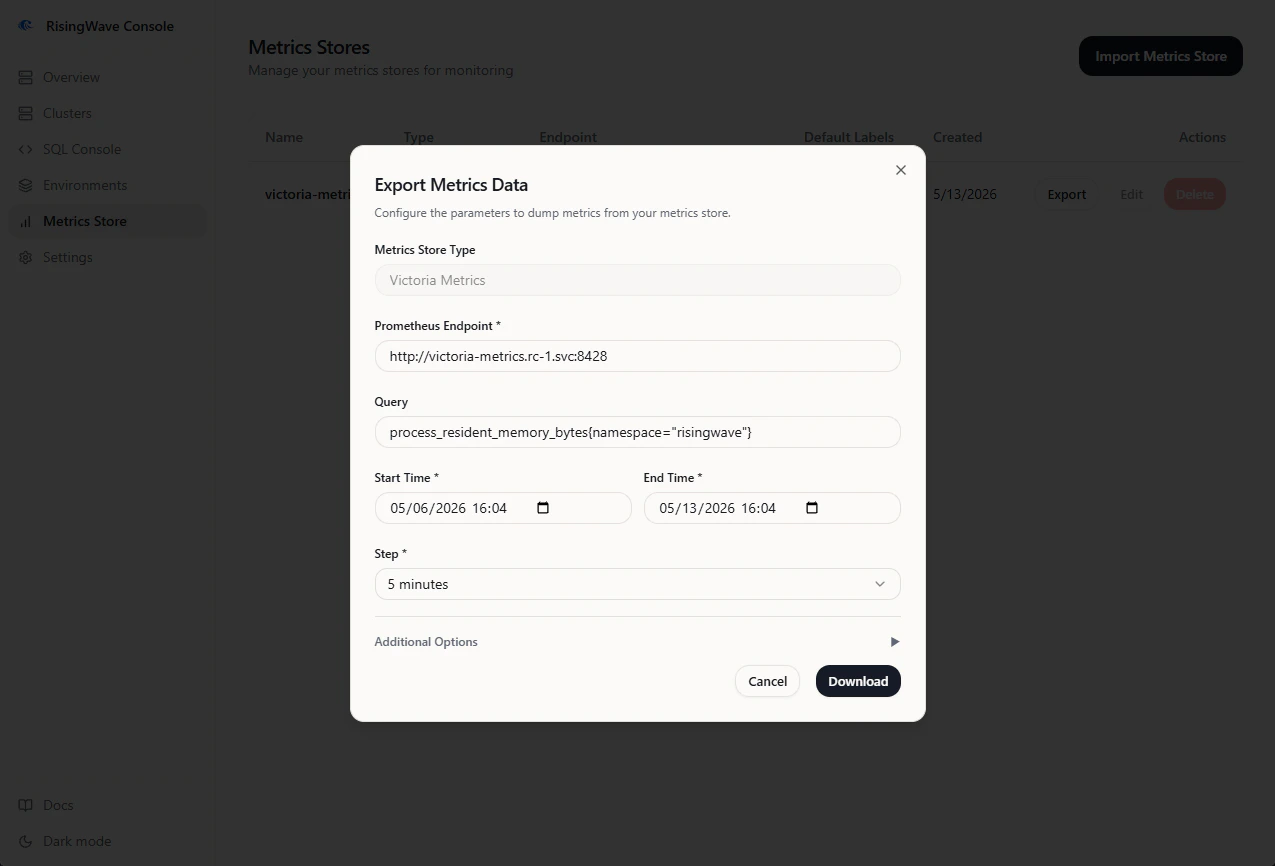
Console can export metrics from a metrics store as a ZIP archive for offline analysis or support handoff.- Open Metrics Store.
- Find the store.
- Click Export.
- Set Start Time and End Time. The UI accepts browser-local time and sends the request in UTC.
- Select Step. Smaller steps produce larger archives.
- Enter a PromQL selector, such as:
- Keep gzip compression enabled unless your downstream tooling cannot read compressed output.
- Click Download and keep the tab open until the export finishes.
metrics.zip.