

- AWS PrivateLink
When configuring AWS PrivateLink, ensure you’re using an IAM user or role with appropriate permissions. Never use the AWS account root user for these operations.
- GCP Private Service Connect
- Azure Private Link
Azure Private Link integration is currently in development and will be available soon.
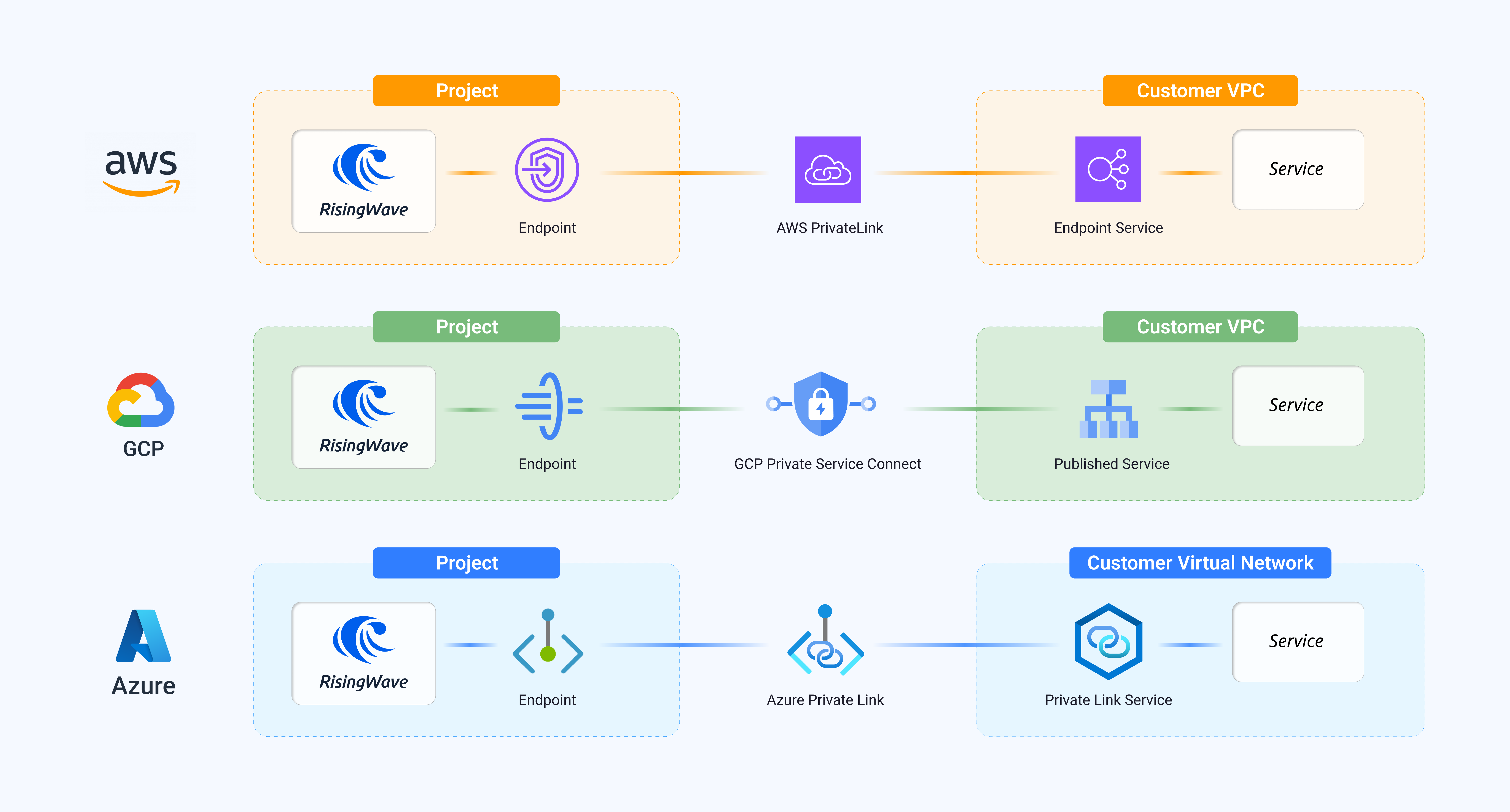
All data transmitted through PrivateLink connections is automatically encrypted in transit. Additionally:
- For AWS PrivateLink: Communication is secured using AWS’s internal network and TLS encryption
- For GCP Private Service Connect: Data is encrypted using Google’s internal network encryption
- For Azure Private Link: Traffic is automatically encrypted within the Microsoft backbone network
Serving PrivateLink and Private Service Connect (connect to RisingWave Cloud from your VPC)
In addition to connecting RisingWave Cloud to services in your VPC, RisingWave Cloud also supports a reverse path that lets you connect to RisingWave Cloud privately. This feature is called Serving PrivateLink on AWS and Serving Private Service Connect on GCP. On AWS, with Serving PrivateLink, RisingWave Cloud creates an AWS endpoint service. You then create an Interface VPC Endpoint in your AWS account to connect to it. All traffic between your VPC and RisingWave Cloud stays on the AWS internal network. On GCP, with Serving Private Service Connect, RisingWave Cloud publishes a service attachment. You create a Private Service Connect endpoint that targets the service attachment and configure private DNS for the endpoint. The Cloud Meta tab (in Network Access → Cloud Meta) exposes the provider-specific connection values:- For AWS, Endpoint Service Name and Private Endpoint (
host:port). - For GCP, Service attachment URI, DNS suffix, and Private endpoint (
host:port).