If you are running self-hosted RisingWave (Operator/Helm/bare metal), use Ingest data from webhook.
For low-latency streaming ingestion over a persistent connection, see Ingest data from WebSocket.
How managed webhook routing works
In managed RisingWave Cloud, webhook requests are accepted by RWProxy over HTTPS and forwarded to your cluster’s frontend webhook listener.- Public ingress: HTTPS
:443 - Webhook path format:
/webhook/<database>/<schema>/<table>
- Hosted projects: SNI hostname first, then
tenantquery parameter fallback. - BYOC projects: currently use
tenantquery parameter (SNI is not supported).
Prerequisites
- A running RisingWave Cloud cluster.
- The tenant identifier of your cluster (for example,
rwc-g1huxxxxxx-mycluster). - A webhook table in your target database/schema (you can create it in the wizard).
Hosted vs BYOC requirements
Use the Cloud Portal webhook wizard (recommended)
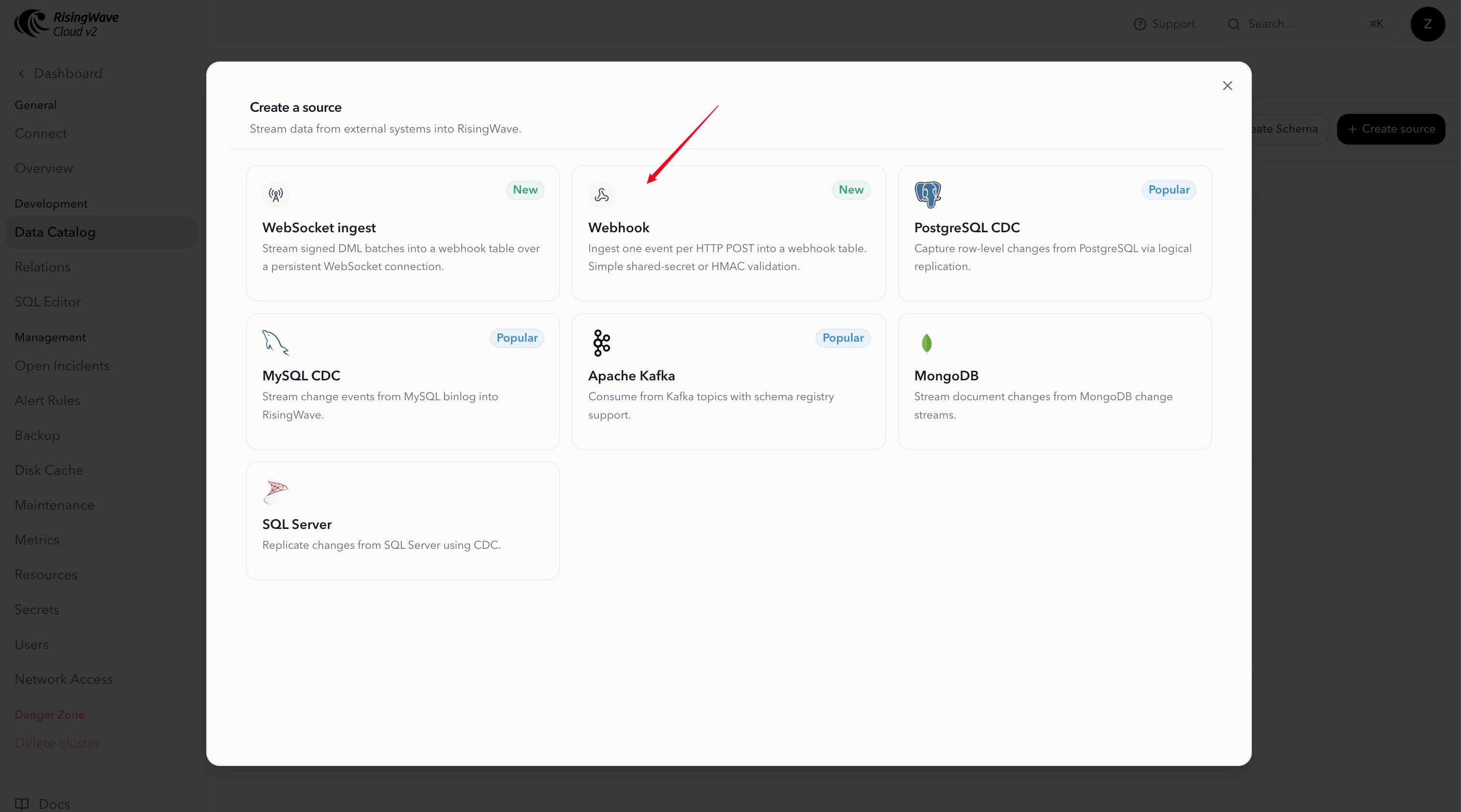
Use the wizard as the primary setup path so users do not need to manually construct hostnames or endpoint URLs. Wizard steps:- Go to the RisingWave Cloud dashboard, open your cluster, and select Data Catalog in the cluster navigation.
- Click Create source, then open Webhook.
- Select Database, Schema, and Table.
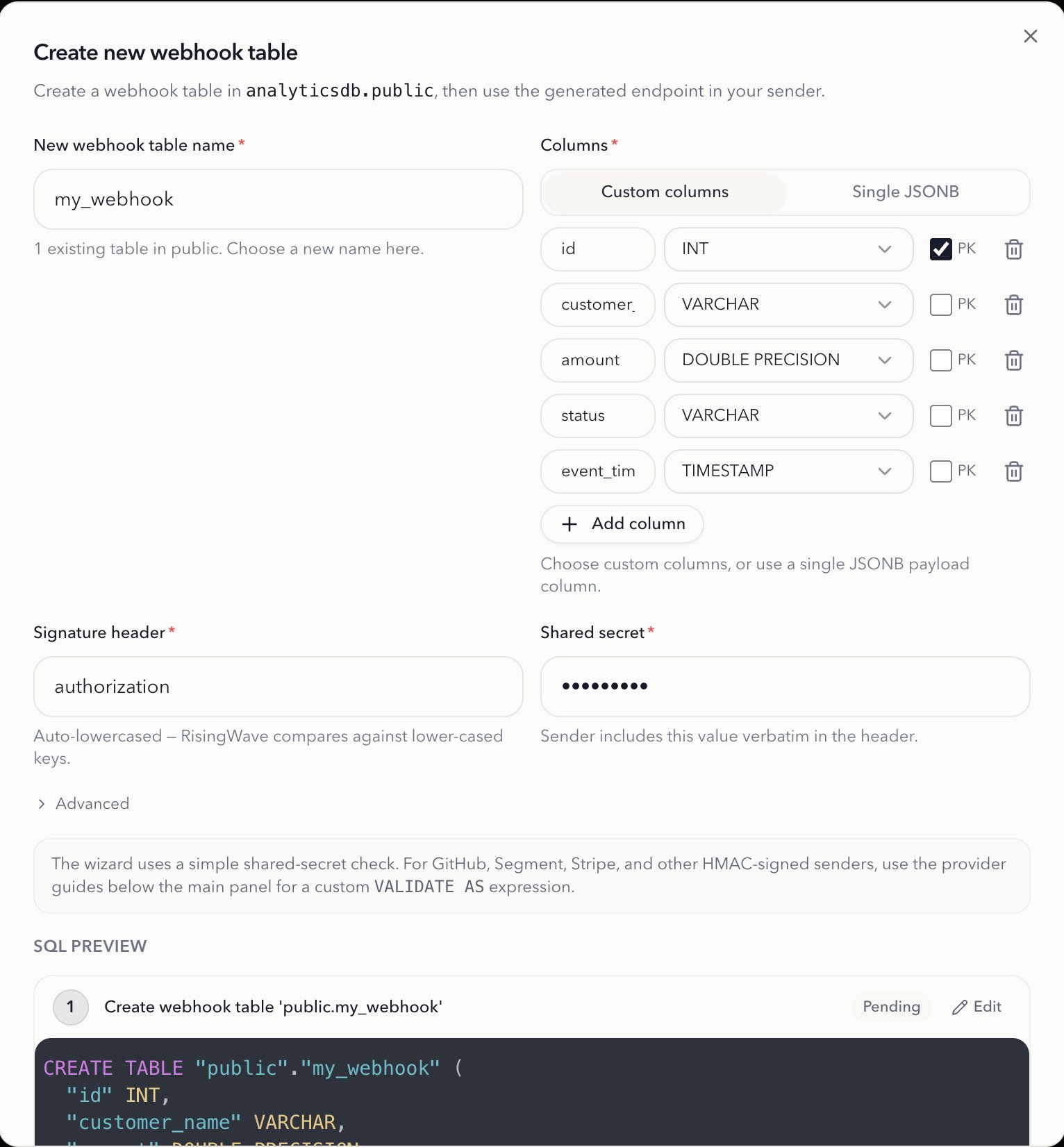
- (Optional) Use Create new webhook table to generate SQL, preview it, and run it.
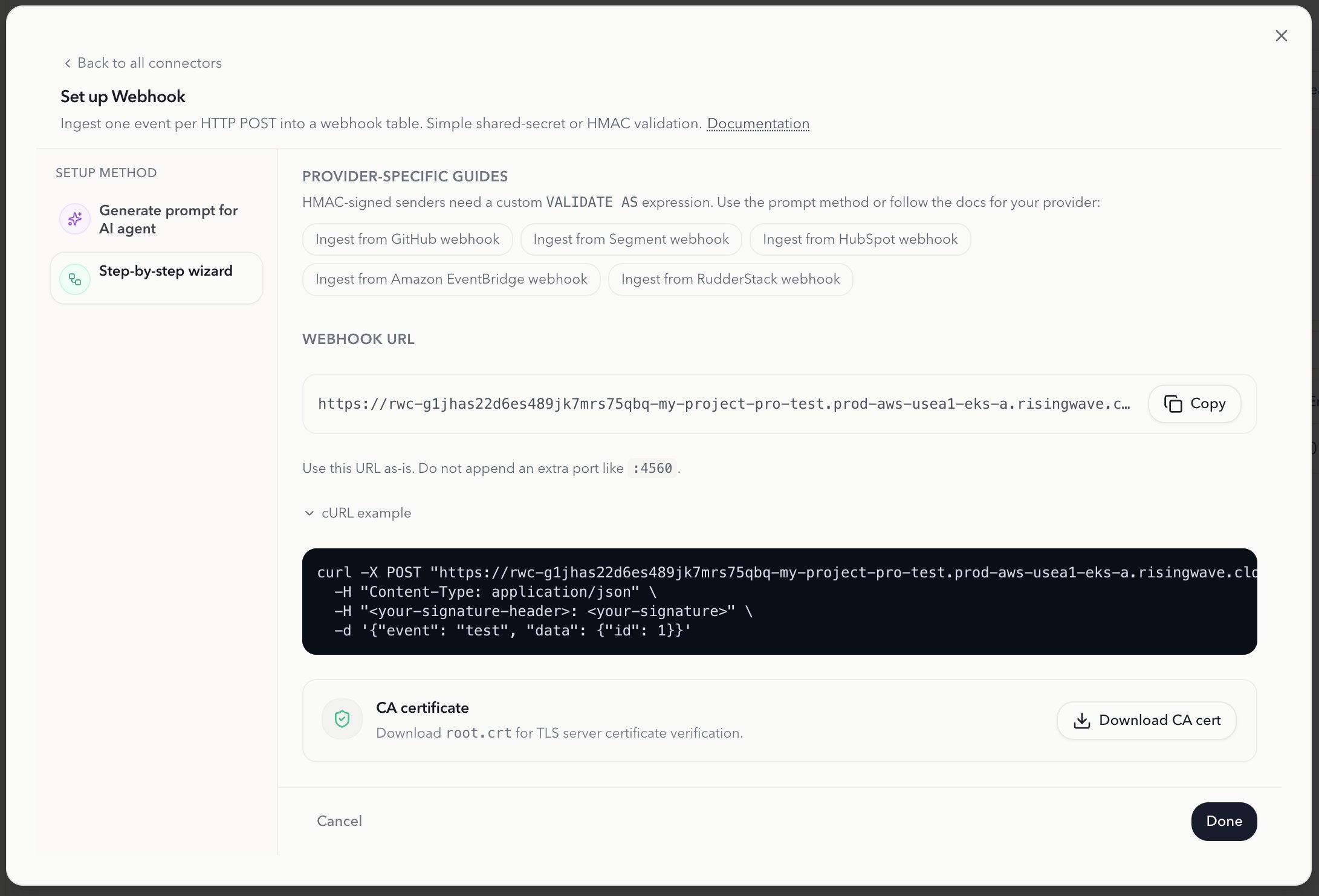
- Copy the generated Webhook Endpoint URL.
- Expand cURL Example and copy the generated command.