> ## Documentation Index
> Fetch the complete documentation index at: https://docs.risingwave.com/llms.txt
> Use this file to discover all available pages before exploring further.
# Web UI overview
> RisingWave offers two distinct web UIs: the built-in UI that ships with every cluster, and RisingWave Console, a separate self-hosted operations console available to paying customers.
RisingWave offers **two distinct web UIs**. They are separate products with different audiences, capabilities, and licensing — make sure you know which one you are looking at.
## At a glance
| | Built-in UI | RisingWave Console |
| --------------------- | ------------------------------------------------------------------------------------------------------------------ | ------------------------------------------------------------------------------------------------------------------------------------------------------------------------------------------- |
| **What it is** | The web UI that ships with every RisingWave cluster (also referred to as the *RisingWave Dashboard* in CLI flags). | A separate self-hosted operations console from RisingWave Labs. |
| **How to get it** | Included automatically — no extra setup. | **[Premium feature](/get-started/premium-features).** Contact [sales@risingwave-labs.com](mailto:sales@risingwave-labs.com) to obtain the image, binary, and signed RisingWave license key. |
| **Where it runs** | Served by the meta node on port `5691` by default (e.g. `http://localhost:5691`). | Runs as its own service (Docker / binary) on port `8020` by default, backed by a PostgreSQL metadata database. |
| **Scope** | Read-only inspection of a single cluster. | Multi-cluster operations, with workflows that go beyond what the meta node exposes. |
| **Primary use cases** | Inspect catalog objects, view streaming fragment graphs, debug with await tree dumps and heap profiling. | Manage many clusters from one place, run `risectl`, automate metadata snapshots, collect diagnostics, and run SQL across environments. |
| **Audience** | Anyone running RisingWave. | DevOps / SRE teams operating production deployments. |
## Which one should I use?
* If you just installed RisingWave and want to look inside the cluster — open the **[built-in UI](/web-ui/built-in-ui)** at `http://localhost:5691`. There is nothing to install.
* If you operate multiple RisingWave clusters and need centralized management, automated backups, diagnostic collection, or `risectl` access from a UI — request **[RisingWave Console](#risingwave-console)** from RisingWave Labs.
You can use both at the same time. RisingWave Console connects to the same meta node that serves the built-in UI; they are complementary, not alternatives.
## Built-in UI
The built-in UI is part of every RisingWave deployment. The meta node serves it as a static web app on port `5691`, so as long as that port is reachable you can open it in a browser without installing anything else.
From the built-in UI you can:
* Browse catalog objects: sources, tables, materialized views, indexes, internal tables, sinks, views, subscriptions, and functions.
* Visualize streaming execution with fragment graphs, including back-pressure rates.
* Inspect batch task execution.
* Debug with await tree dumps, heap profiling, and distributed plan visualization.
See **[Built-in UI](/web-ui/built-in-ui)** for details on how to access and configure it.
## RisingWave Console
RisingWave Console is a separate, self-hosted application designed for teams that need additional operational workflows on top of one or more RisingWave clusters.
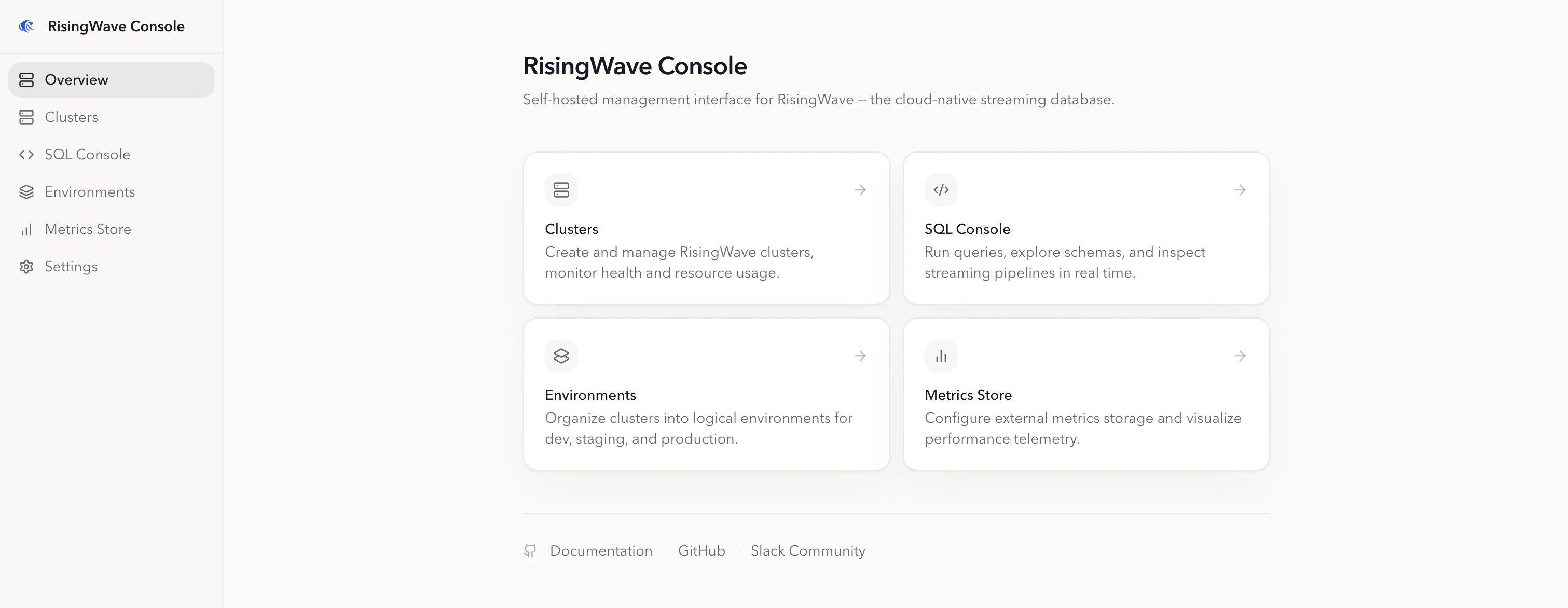 It provides:
* **Cluster lifecycle operations**: connect existing clusters for day-2 operations, or create and operate managed RisingWave clusters on Kubernetes.
* **Kubernetes environment management**: install cert-manager, the RisingWave Operator, object storage, metadata PostgreSQL, metrics, logs, and Grafana with one-click workflows.
* **Operational tooling**: run `risectl` commands, create metadata snapshots (manual or automated), and collect diagnostic data for troubleshooting.
* **SQL Console**: browse schemas, run SQL in the browser, track DDL progress, and inspect the streaming graph.
* **Metrics integration**: register Prometheus-compatible metrics stores, view cluster metrics, and export metrics for offline analysis.
* **Restricted-network support**: configure private registries, local Helm charts, and pre-cached `risectl` binaries for air-gapped deployments.
This documentation is intended for DevOps engineers, SREs, database administrators, and RisingWave users responsible for operating self-hosted or Kubernetes-based RisingWave deployments.
### Getting access
RisingWave Console is a [**premium feature**](/get-started/premium-features) and is not included with RisingWave. To obtain the image or binary, a signed RisingWave license key, and version compatibility guidance, contact RisingWave Labs at [sales@risingwave-labs.com](mailto:sales@risingwave-labs.com).
Once you have access, continue with:
* [Prerequisites](/web-ui/risingwave-console/prerequisites)
* [Installation and setup](/web-ui/risingwave-console/installation-setup)
* [Manage license keys](/web-ui/risingwave-console/license-management)
* [Air-gapped deployment](/web-ui/risingwave-console/air-gapped-deployment)
* [Connect to your RisingWave clusters](/web-ui/risingwave-console/connect-risingwave-clusters)
* [Manage Kubernetes environments](/web-ui/risingwave-console/manage-environments)
* [Configure metrics stores](/web-ui/risingwave-console/metrics-store)
* [Manage and monitor clusters](/web-ui/risingwave-console/manage-monitor-clusters)
* [Use the SQL Console](/web-ui/risingwave-console/use-sql-console)
It provides:
* **Cluster lifecycle operations**: connect existing clusters for day-2 operations, or create and operate managed RisingWave clusters on Kubernetes.
* **Kubernetes environment management**: install cert-manager, the RisingWave Operator, object storage, metadata PostgreSQL, metrics, logs, and Grafana with one-click workflows.
* **Operational tooling**: run `risectl` commands, create metadata snapshots (manual or automated), and collect diagnostic data for troubleshooting.
* **SQL Console**: browse schemas, run SQL in the browser, track DDL progress, and inspect the streaming graph.
* **Metrics integration**: register Prometheus-compatible metrics stores, view cluster metrics, and export metrics for offline analysis.
* **Restricted-network support**: configure private registries, local Helm charts, and pre-cached `risectl` binaries for air-gapped deployments.
This documentation is intended for DevOps engineers, SREs, database administrators, and RisingWave users responsible for operating self-hosted or Kubernetes-based RisingWave deployments.
### Getting access
RisingWave Console is a [**premium feature**](/get-started/premium-features) and is not included with RisingWave. To obtain the image or binary, a signed RisingWave license key, and version compatibility guidance, contact RisingWave Labs at [sales@risingwave-labs.com](mailto:sales@risingwave-labs.com).
Once you have access, continue with:
* [Prerequisites](/web-ui/risingwave-console/prerequisites)
* [Installation and setup](/web-ui/risingwave-console/installation-setup)
* [Manage license keys](/web-ui/risingwave-console/license-management)
* [Air-gapped deployment](/web-ui/risingwave-console/air-gapped-deployment)
* [Connect to your RisingWave clusters](/web-ui/risingwave-console/connect-risingwave-clusters)
* [Manage Kubernetes environments](/web-ui/risingwave-console/manage-environments)
* [Configure metrics stores](/web-ui/risingwave-console/metrics-store)
* [Manage and monitor clusters](/web-ui/risingwave-console/manage-monitor-clusters)
* [Use the SQL Console](/web-ui/risingwave-console/use-sql-console)