> ## Documentation Index
> Fetch the complete documentation index at: https://docs.risingwave.com/llms.txt
> Use this file to discover all available pages before exploring further.
# Invite and manage users in your organization
> Users in an organization can access the same set of resources for seamless collaboration. As the organization owner, you can invite others to join your organization as member users and share resources among them.
An organization can have one owner and multiple member users.
* The owner can [invite others to join the organization](#invite-users-to-join-your-organization) and [manage users in the organization](#manage-users-in-your-organization). The owner shares all resources, including projects and databases, with the organization. You become the owner of your organization when you [sign up](https://cloud.risingwave.com/signup) for RisingWave Cloud by yourself, not through an invitation.
* A member user can access all the resources in the organization that the owner shares. A member user can also invite others to join the organization and manage them but cannot remove the owner from the organization. You become a member user when you [accept an invitation](#accept-invitation-to-join-an-organization-as-a-member) to join an organization.
## Invite users to join your organization
You can invite others to create a RisingWave Cloud account and join your organization. The invited users have **one day** to confirm and join.
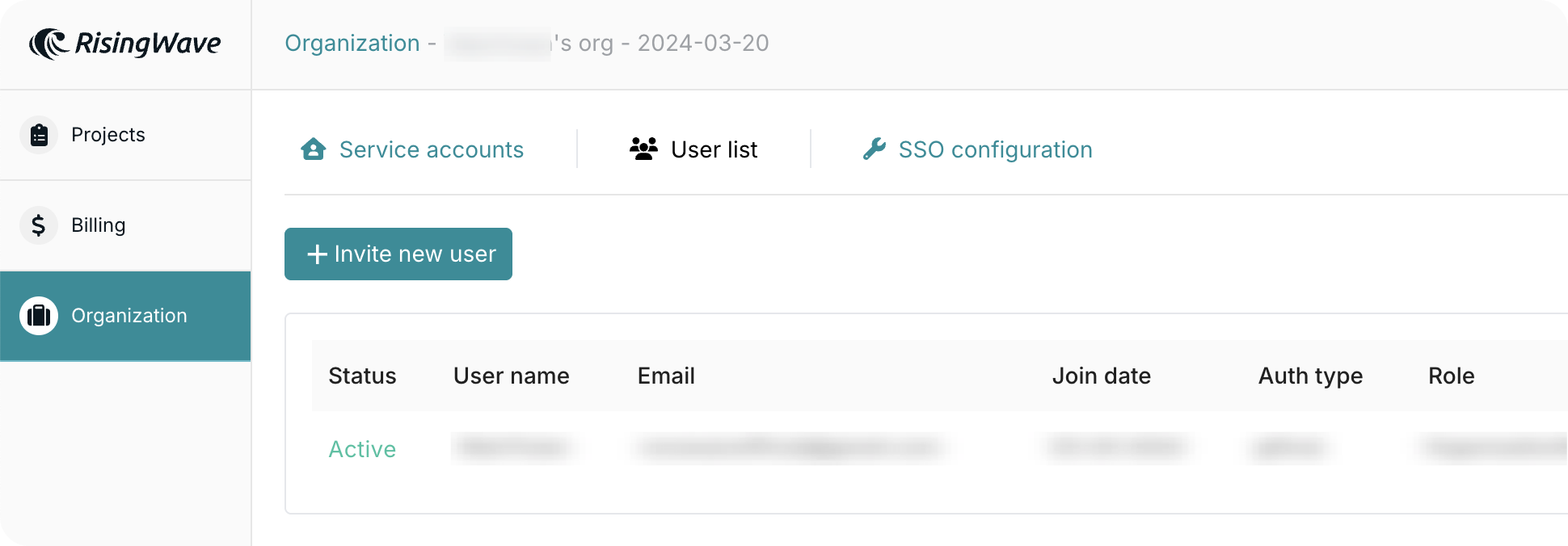 **Steps:**
1. Go to the [**Org.**](https://cloud.risingwave.com/organization/) tab and select **Invitations** or **Users**.
2. Click **Invite new user**.
3. Enter the email address of the user you want to invite.
4. Click **Send invite**.
### Existing user error
An email that’s already registered on RisingWave Cloud can’t be invited again. If you want to add that user, they must [delete their current account](/cloud/manage-your-account#delete-your-account) first.
***
The invited user will receive an email with a link to sign up and join this organization. Remind the user to check the junk folder if not getting the email in the inbox.
If the invitation expires, you can click **Resend** to renew the invitation and send the email again.
After the user joins, you can see the user in the **Users** tab.
## Accept invitation to join an organization (as a member)
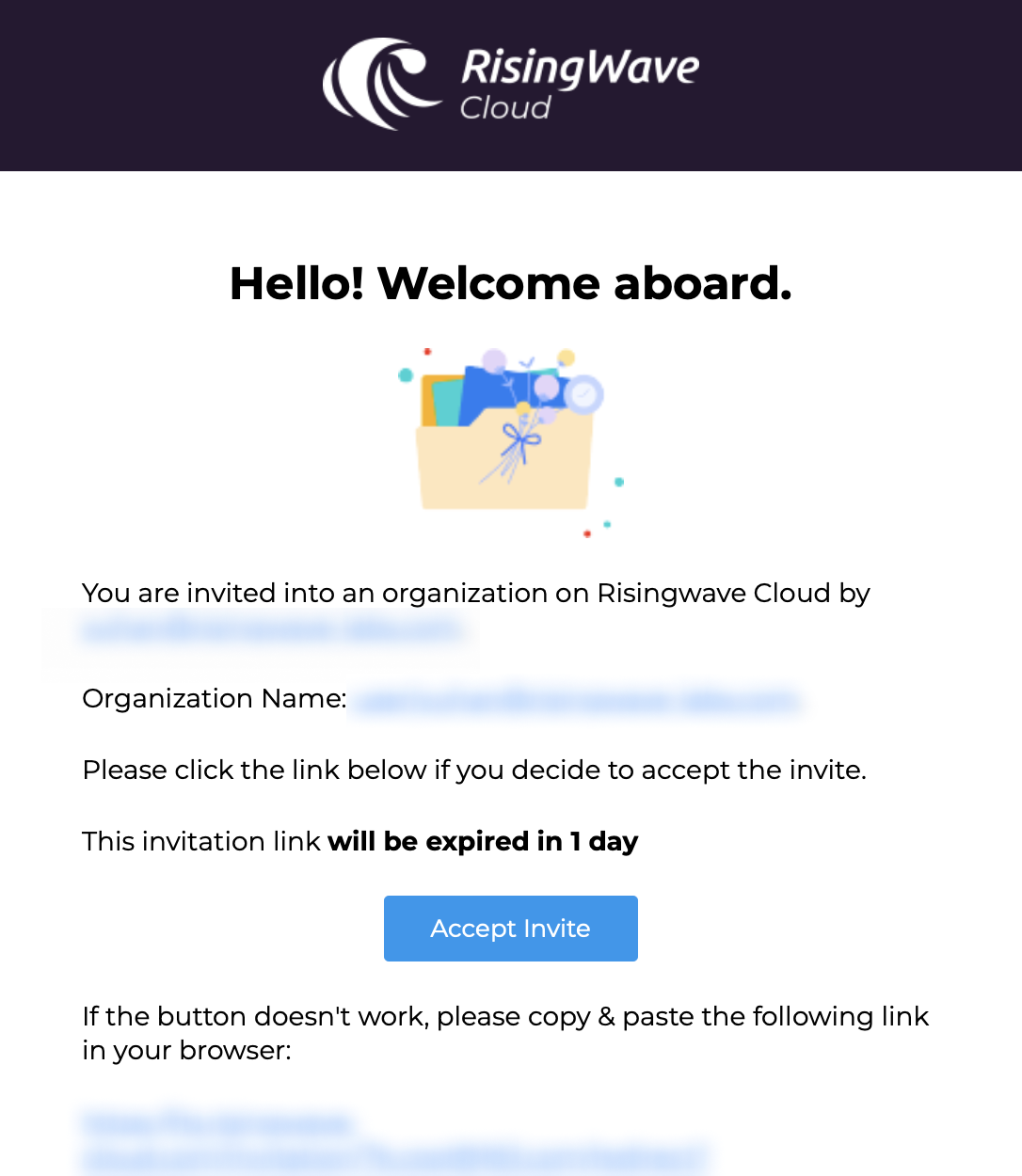
After the organization owner sends the invitation, the invited user should receive an email.
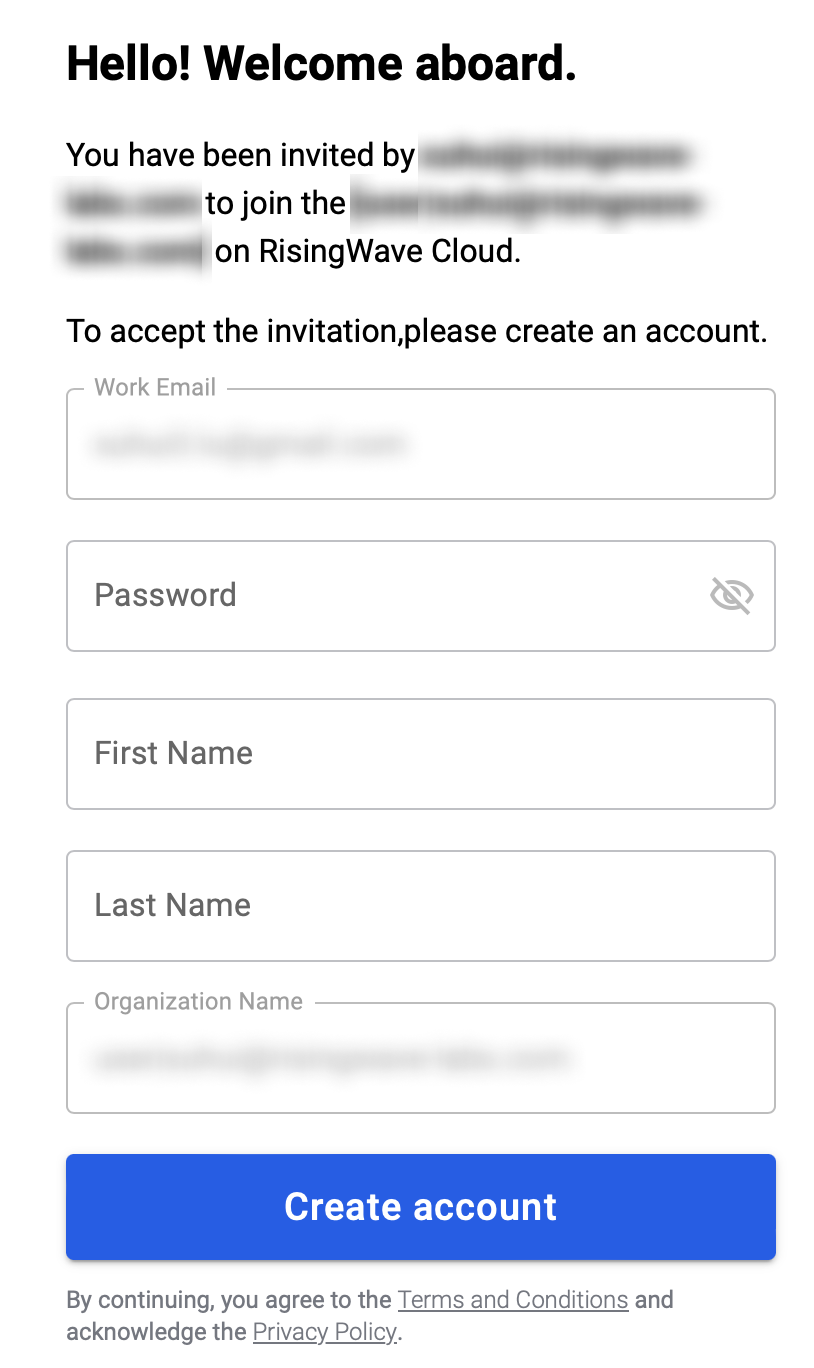
Click **Accept Invite** within one day and fill in your information and account password to sign up for RisingWave Cloud and join the organization.
After you join an organization, you'll have full access to the resources and database objects in the organization. You can also invite others to join the organization.
| | |
| ----------------------------------------------------------------------------------------------------------------------------------------------------------------------------------------------------------------------------------------------------------------------------------------------------------------------------------------------------------------------------------------------------------------------------------------------------------------------------------------------------------------------------------------------------------------------------------------------------------------------------------------------------------------------------------------------------------------------------------------------------------------------------------------------------------------------------------------------------------------------------------------------------------------------------------------------------------------------------------------------------------------------------------------------------------------------------------------------------------------------------------------------------------------------------------------------------------------------------------------------------------------------------------------------------------------------------------------------------------------------------------------------------------------------------------------------------------------------------------------------------------------------------------------------------------------------------------- | ------------------------------------------------------------------------------------------------------------------------------------------------------------------------------------------------------------------------------------------------------------------------------------------------------------------------------------------------------------------------------------------------------------------------------------------------------------------------------------------------------------------------------------------------------------------------------------------------------------------------------------------------------------------------------------------------------------------------------------------------------------------------------------------------------------------------------------------------------------------------------------------------------------------------------------------------------------------------------------------------------------------------------------------------------------------------------------------------------------------------------------------------------------------------------------------------------------------------------------------------------------------------------------------------------------------------------------------------------------------------------------------------------------------------------------------------------------------------------------------------------------------------------------------------------------------------------------------ |
|
**Steps:**
1. Go to the [**Org.**](https://cloud.risingwave.com/organization/) tab and select **Invitations** or **Users**.
2. Click **Invite new user**.
3. Enter the email address of the user you want to invite.
4. Click **Send invite**.
### Existing user error
An email that’s already registered on RisingWave Cloud can’t be invited again. If you want to add that user, they must [delete their current account](/cloud/manage-your-account#delete-your-account) first.
***
The invited user will receive an email with a link to sign up and join this organization. Remind the user to check the junk folder if not getting the email in the inbox.
If the invitation expires, you can click **Resend** to renew the invitation and send the email again.
After the user joins, you can see the user in the **Users** tab.
## Accept invitation to join an organization (as a member)
After the organization owner sends the invitation, the invited user should receive an email.
Click **Accept Invite** within one day and fill in your information and account password to sign up for RisingWave Cloud and join the organization.
After you join an organization, you'll have full access to the resources and database objects in the organization. You can also invite others to join the organization.
| | |
| ----------------------------------------------------------------------------------------------------------------------------------------------------------------------------------------------------------------------------------------------------------------------------------------------------------------------------------------------------------------------------------------------------------------------------------------------------------------------------------------------------------------------------------------------------------------------------------------------------------------------------------------------------------------------------------------------------------------------------------------------------------------------------------------------------------------------------------------------------------------------------------------------------------------------------------------------------------------------------------------------------------------------------------------------------------------------------------------------------------------------------------------------------------------------------------------------------------------------------------------------------------------------------------------------------------------------------------------------------------------------------------------------------------------------------------------------------------------------------------------------------------------------------------------------------------------------------------- | ------------------------------------------------------------------------------------------------------------------------------------------------------------------------------------------------------------------------------------------------------------------------------------------------------------------------------------------------------------------------------------------------------------------------------------------------------------------------------------------------------------------------------------------------------------------------------------------------------------------------------------------------------------------------------------------------------------------------------------------------------------------------------------------------------------------------------------------------------------------------------------------------------------------------------------------------------------------------------------------------------------------------------------------------------------------------------------------------------------------------------------------------------------------------------------------------------------------------------------------------------------------------------------------------------------------------------------------------------------------------------------------------------------------------------------------------------------------------------------------------------------------------------------------------------------------------------------------ |
|  |
|  |
## Manage users in your organization
Go to the [**Org.**](https://cloud.risingwave.com/organization/) tab and select **Users**.
Here, you can get a list of all users in your organization.
The owner can click the trashcan icon to remove a user from the organization. Removed users will lose access to all the resources in the organization, and their accounts will be deleted.
## Assign ownership to another user
The owner can assign ownership to another user in the organization. The new owner will have the highest authority to manage the organization and its resources. The previous owner will become a member user.
Click the **Assign owner role** button on the user you want to assign ownership to and then confirm your decision.
|
## Manage users in your organization
Go to the [**Org.**](https://cloud.risingwave.com/organization/) tab and select **Users**.
Here, you can get a list of all users in your organization.
The owner can click the trashcan icon to remove a user from the organization. Removed users will lose access to all the resources in the organization, and their accounts will be deleted.
## Assign ownership to another user
The owner can assign ownership to another user in the organization. The new owner will have the highest authority to manage the organization and its resources. The previous owner will become a member user.
Click the **Assign owner role** button on the user you want to assign ownership to and then confirm your decision.