> ## Documentation Index
> Fetch the complete documentation index at: https://docs.risingwave.com/llms.txt
> Use this file to discover all available pages before exploring further.
# Forgot password?
> If you see this message “_Incorrect email or password._” when you try to log in to RisingWave Cloud, you can use **Forgot password?** to reset your password.
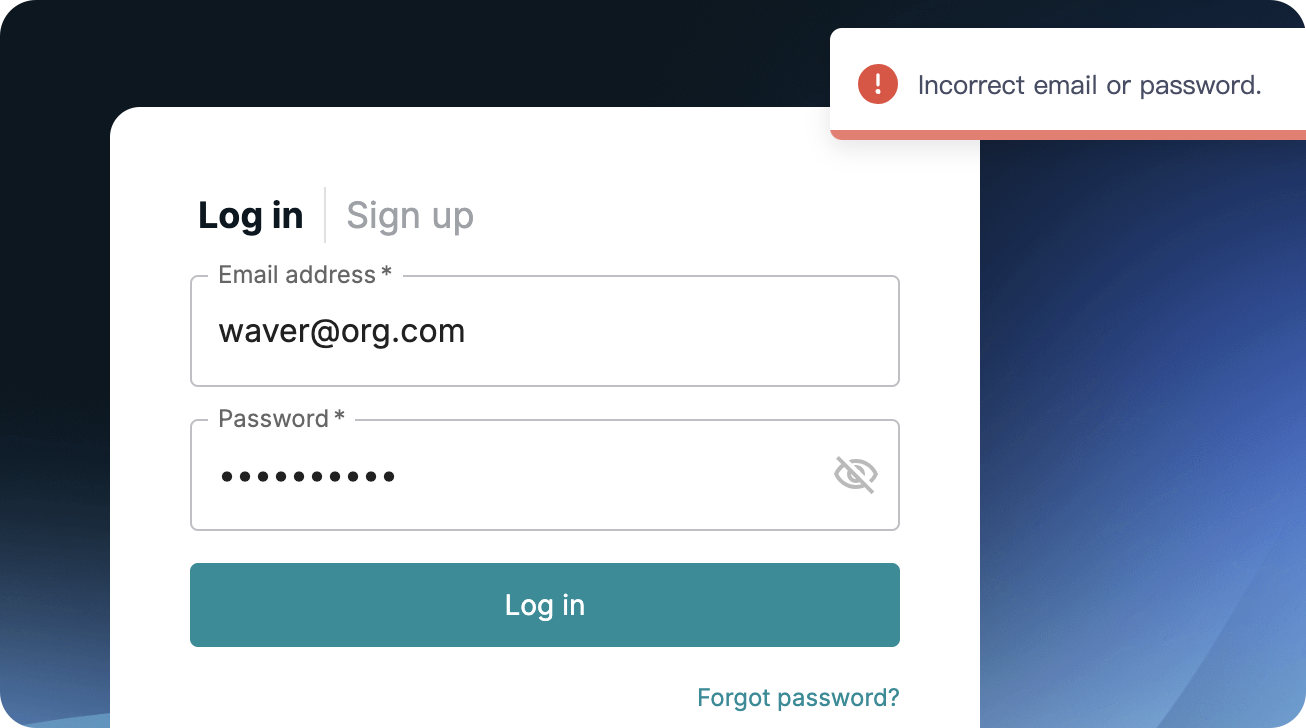 1. Click **Forgot password?**
2. Enter the email address you created your account with and click **Get code**.
3. Check the inbox of your email for the verification code.
Please also check your junk or spam folder in case the verification email got delivered there instead of in your inbox.
4. Enter the verification code and click **Reset password**.
5. Enter your new password and re-enter it to confirm.
6. Click **Confirm** to apply the change.
1. Click **Forgot password?**
2. Enter the email address you created your account with and click **Get code**.
3. Check the inbox of your email for the verification code.
Please also check your junk or spam folder in case the verification email got delivered there instead of in your inbox.
4. Enter the verification code and click **Reset password**.
5. Enter your new password and re-enter it to confirm.
6. Click **Confirm** to apply the change.