> ## Documentation Index
> Fetch the complete documentation index at: https://docs.risingwave.com/llms.txt
> Use this file to discover all available pages before exploring further.
# Connect to a project
> After [getting a project up and running](/cloud/manage-projects/#create-a-project), you need to connect to it so that you can interact with RisingWave.
You can choose one of the following ways to connect to your project.
## Workspace
Workspace offers graphical tools for managing data and visualizing results. It is the most intuitive and easy way to connect to and interact with RisingWave.
To connect via workspace, follow the steps below:
1. In RisingWave Cloud, go to [**projects**](https://cloud.risingwave.com/project/home/), and click **Workspace** for the project you want to connect to.
2. For detailed instructions on using the workspace, see [Workspace](/cloud/console-overview/).
## Local client
If you need to connect to the RisingWave project via local clients, you can configure the connection in multiple ways.
To connect with any local clients, follow the steps below:
1. In RisingWave Cloud, go to [**projects**](https://cloud.risingwave.com/project/home/), and click **Connect** for the project you want to connect to.
2. Click **Switch** in the top right corner to switch users, and then choose a startup mode.
* RisingWave Cloud creates a default user for every provisioned project since v1.7.1. The default user is authenticated with a temporary token under the OAuth 2.0 protocol to ease the burden on developers. For default users, RisingWave Cloud offers the `psql` command and a general `Connection String` for a quick connection.
* Alternatively, you can create a new user, RisingWave Cloud offers `psql`, `Connection String`, `Parameters Only`, `Java`, `Node.js`, `Python`, and `Golang` as connection options.
**Connection Security**
* All client connections are encrypted using TLS/SSL by default
* Certificate verification is required for secure connections
* Connection strings include encryption parameters automatically
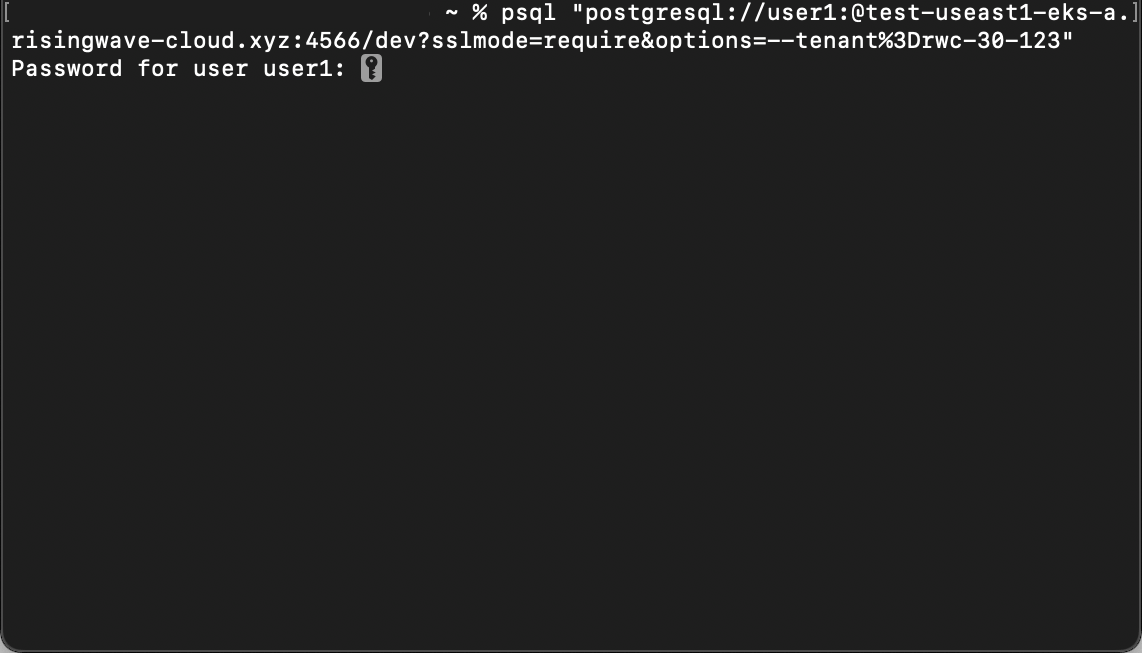
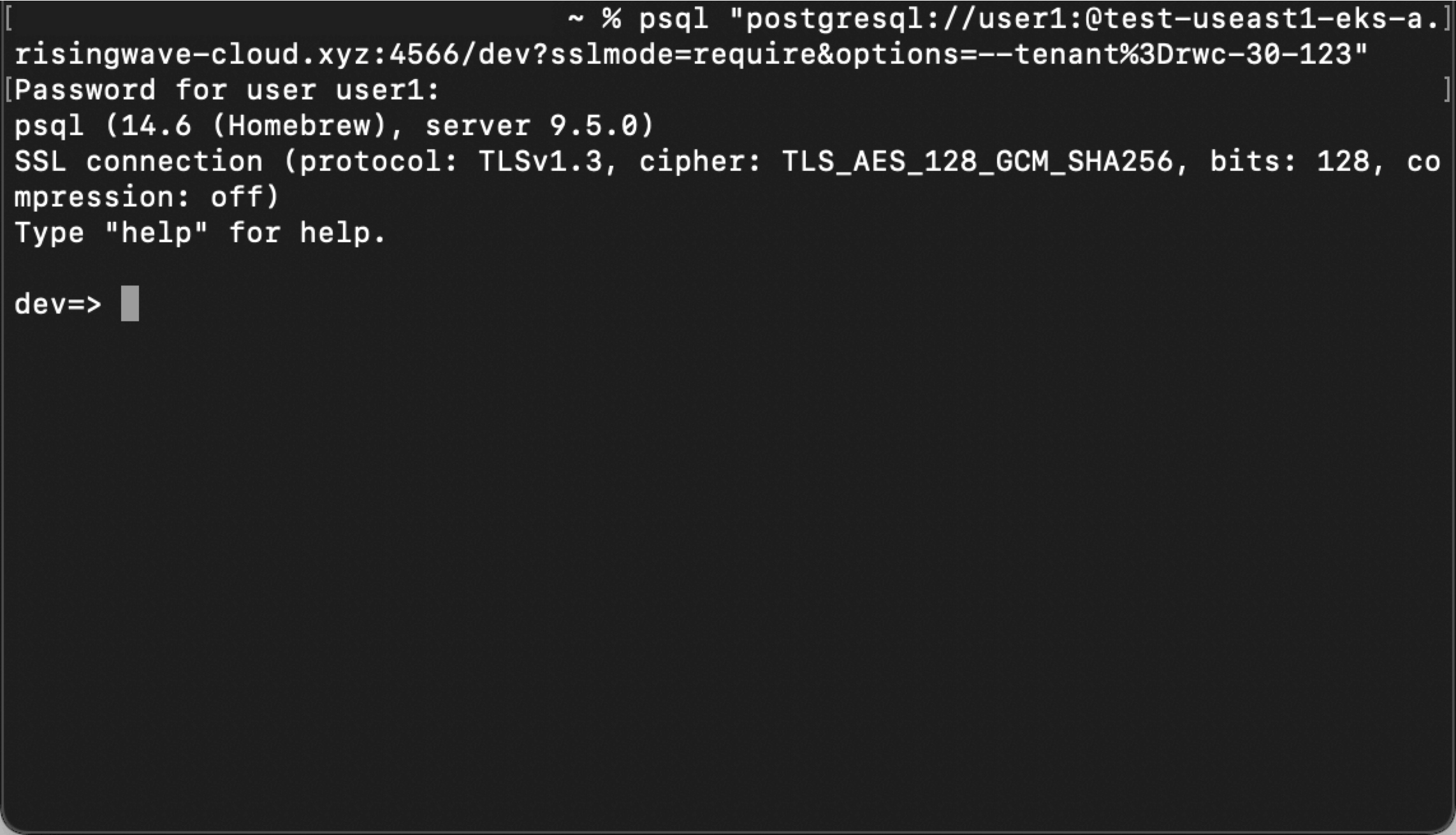
To connect via `psql`, you need to [Install psql](/deploy/install-psql-without-postgresql) in your environment. `psql` is a command-line interface for interacting with PostgreSQL databases, including RisingWave.
3. You may need to set up a CA certificate to enable SSL connections. See the instructions displayed on the portal for more details.
4. Copy the command and run it in a terminal window.
5. Log in with the password of the database user. For default users, the password is represented by `******` in the command and will be an alphanumeric string when copied. Please be aware that this password is valid for 2 hours. For newly created users, the password is what you set when creating the user and it won't expire.
| | |
| ---------------------------------------------------------------------------------------------------------------------------------------------------------------------------------------------------------------------------------------------------------------------------------------------------------------------------------------------------------------------------------------------------------------------------------------------------------------------------------------------------------------------------------------------------------------------------------------------------------------------------------------------------------------------------------------------------------------------------------------------------------------------------------------------------------------------------------------------------------------------------------------------------------------------------------------------------------------------------------------------------------------------------------------------------------------------------------------------------------------------------------------------------------------------------------------------------------------------------------------------------------------------------------------------------------------------------------------------------------------------------------------------------------------------------------------------------------------------------------------------------------------------------------------------------------------------------------- | -------------------------------------------------------------------------------------------------------------------------------------------------------------------------------------------------------------------------------------------------------------------------------------------------------------------------------------------------------------------------------------------------------------------------------------------------------------------------------------------------------------------------------------------------------------------------------------------------------------------------------------------------------------------------------------------------------------------------------------------------------------------------------------------------------------------------------------------------------------------------------------------------------------------------------------------------------------------------------------------------------------------------------------------------------------------------------------------------------------------------------------------------------------------------------------------------------------------------------------------------------------------------------------------------------------------------------------------------------------------------------------------------------------------------------------------------------------------------------------------------------------------------------------------------------------------------------------------------------------------- |
|  |
|  |
If you choose `Java`, `Node.js`, `Python`, or `Golang` as the startup mode, replace `` in the command with the password you set when creating a new user.
## What's next
RisingWave Cloud leverages the superpower of RisingWave, an open-source distributed SQL database specifically designed for stream processing. Start building your real-time applications with RisingWave, in the cloud.
|
If you choose `Java`, `Node.js`, `Python`, or `Golang` as the startup mode, replace `` in the command with the password you set when creating a new user.
## What's next
RisingWave Cloud leverages the superpower of RisingWave, an open-source distributed SQL database specifically designed for stream processing. Start building your real-time applications with RisingWave, in the cloud.